Three years ago, a 10-hour production deployment left my lower back locked so tight I could barely stand up from my desk. Mastering the correct sitting posture for programmers working 10 hours a day fixed my chronic lumbar pain without forcing me to cut my coding hours. Most ergonomic advice tells you to sit ramrod straight at 90 degrees, which actually accelerates spinal fatigue during marathon sessions.
Sustaining focus across a double-digit workday requires dynamic support rather than a frozen statue pose. Below is the exact biomechanical setup and shift-rotation system I use to survive 10-hour sprints pain-free.
Why Rigid 90-Degree Sitting Wrecks a 10-Hour Coding Shift
Forcing your spine into a strict 90-degree vertical angle pushes the weight of your entire upper body straight down onto your lower lumbar discs. Your core muscles exhaust themselves within 45 minutes trying to hold that upright posture. Once those muscles fatigue, your pelvis tucks under, your shoulders round forward, and you collapse into a C-shaped slump.
Spinal research consistently shows that leaning back slightly transfers upper-body load into the chair’s backrest. Instead of fighting gravity all day, your skeleton rests against a supportive surface while your core stays relaxed.
The Biomechanical Alignment Checklist for Marathon Coding
Before tweaking your code editor or mechanical keyboard, calibrate how your body contacts your chair. Small misalignments compound over 600 minutes of daily sitting.
Spine, Lumbar Curve, and the 100-Degree Recline
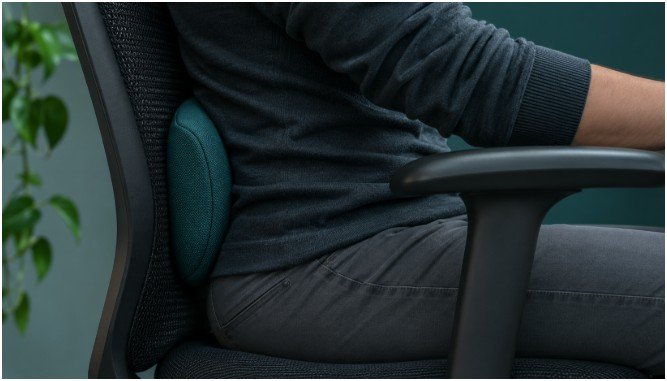
Unlock your chair’s tilt tension and recline your backrest to an angle between 100° and 110°. Push your hips all the way to the back of the seat pan so your lower spine presses firmly into the lumbar curve. If your chair leaves an empty gap behind your lower back, wedge a firm cushion or tightly rolled bath towel into that space.
Keep your ears stacked directly over your shoulders. During tough debugging sessions, developers instinctively crane their chins forward toward the monitor. Every inch your head drifts forward adds roughly 10 pounds of effective strain onto your cervical spine.
Shoulders, Elbows, and Neutral Wrist Positioning
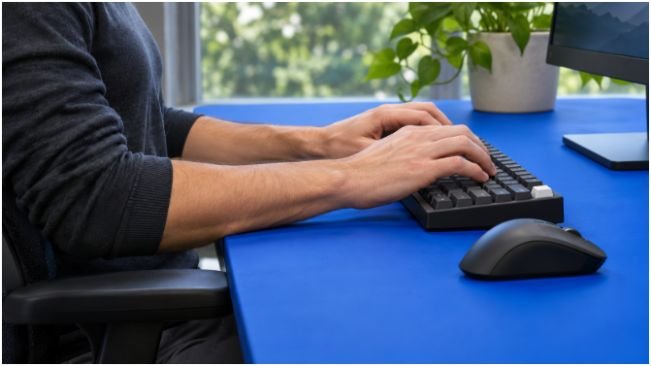
Let your shoulders drop naturally away from your ears instead of shrugging them upward while typing. Keep your upper arms tucked close to your ribcage with your elbows bent at an open 90° to 100° angle. According to the Occupational Safety and Health Administration (OSHA) Computer Workstations eTool, keeping upper arms close to the torso prevents localized shoulder and upper-back tendon fatigue.
Rest your forearms lightly on your armrests or the front edge of your desk. Your wrists must float straight and neutral—never bent upward toward the ceiling or angled outward toward your pinky fingers. If you use a thick mechanical keyboard, add a firm palm rest to keep your forearms and hands on one flat plane.
Hip Angles, Seat Pan Depth, and Foot Placement
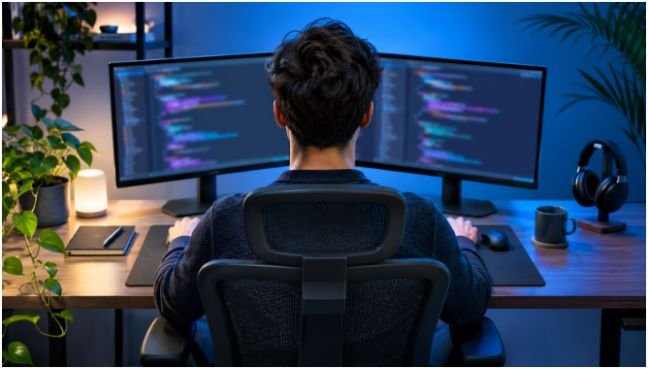
Adjust your pneumatic cylinder until your hips sit level with or slightly higher than your knees. This open hip angle prevents tight hip flexors from pulling on your lower spine. Check the front edge of your seat cushion and ensure you can slide two or three fingers between the plastic lip and the back of your knees.
A seat pan that presses into the back of your calves restricts blood flow and triggers afternoon leg numbness. Plant both feet flat on the floor. If raising your chair to match your desk height leaves your feet dangling, slide a firm angled footrest underneath your desk and stop crossing your legs.
Workstation Ergonomics That Stop Subconscious Slouching
Even a $1,200 ergonomic task chair fails if your screens and peripherals force your torso out of alignment. I audited my desk geometry using the UK Health and Safety Executive (HSE) Working with Display Screen Equipment guidelines and immediately spotted two posture traps.
Primary and Dual-Monitor Placement for Neck Relief
Set your primary monitor an arm’s length away—roughly 18 to 30 inches from your eyes. Adjust the stand height until the top bezel or top third of the screen aligns directly with your eye level. Looking slightly downward at a 15-degree angle keeps your neck neutral and prevents upper-eyelid strain.
If you code on a dual-monitor setup, never place one screen straight ahead and the second screen off to your side at a sharp angle. Twisting your cervical spine for hours triggers unilateral neck spasms. Instead, angle both monitors equally in a shallow V-shape centered right in front of your nose.
Poor screen positioning also accelerates ocular fatigue. When your eyes burn after staring at dual monitors, you subconsciously lean four inches closer to read small terminal text, destroying your lower-back alignment. Pair proper viewing distance with natural ways to relieve dry eyes and follow the 20-20-20 rule—looking 20 feet away for 20 seconds every 20 minutes—to keep your head anchored back against your headrest.
Keyboard and Mouse Proximity Rules
Center your keyboard directly in front of your torso rather than aligning it with your monitor stand. If you use a full-sized keyboard with a dedicated number pad, your mouse gets pushed too far to the right, forcing your right shoulder into constant external rotation. Switching to a 75% or tenkeyless (TKL) mechanical layout brings your mouse three inches closer to your centerline.
Never code for 10 hours directly on a bare laptop. A laptop forces you to choose between cranking your neck downward or elevating your wrists at painful angles. Drop your laptop onto an aluminum riser and plug in an external keyboard and mouse.
My 3-Stage Posture Rotation for 10-Hour Sprints
Human joints degenerate when held static, even in textbook alignment. Research from the Cornell University Ergonomics Web (CUergo) emphasizes regular movement breaks over static posture perfection. To survive 10-hour days without losing coding flow, I divide my workday into three distinct posture modes tied to specific development tasks.
| Shift Block | Coding Task | Chair & Desk Configuration | Target Joint Angles |
| Hours 1–3 & 6–8 | Deep Feature Dev & Debugging | Seated, 105° backrest recline, forearms supported on desk | Hips 100°, Elbows 95°, Gaze -15° |
| Hours 4 & 9 | Code Reviews, PRs & Documentation | Deep 110°–115° recline, wireless keyboard in lap or tray | Hips 115°, Elbows 110°, Spine unloaded |
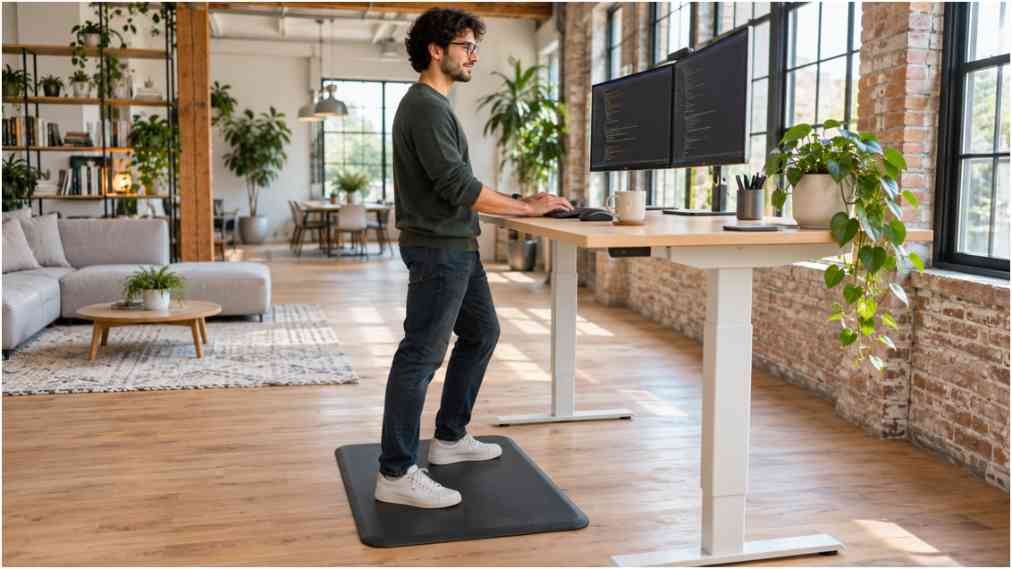
| Hours 5 & 10 | Architecture Planning, Standups & Slack | Standing desk elevated, anti-fatigue mat, soft knees | Hips 180°, Elbows 90°, Weight shifting |
Every 45 minutes, I trigger a 2-minute physical reset whenever my test suite compiles or a CI/CD pipeline runs. I stand up, perform five doorway chest stretches to reverse forward shoulder rounding, and walk across the room. As the Mayo Clinic Office Ergonomics Guide notes, brief movement intervals restore spinal disc hydration and flush pooled blood from your lower extremities.
Frequently Asked Questions
1. What is the best chair recline angle for coding all day?
Recline your backrest between 100° and 110° to transfer upper-body weight off your lower lumbar discs.
2. Should programmers rest their elbows on armrests or the desk?
Rest your forearms lightly on either level armrests or your desk surface so your shoulders stay dropped and relaxed.
3. How often should I stand up during a 10-hour programming shift?
Stand up and walk or stretch for 2 to 3 minutes every 30 to 45 minutes to reset spinal compression.
4. Can you fix bad sitting posture without buying an expensive ergonomic chair?
Yes, by adding a lumbar cushion, placing your feet on a box, and elevating your monitor to eye level.
Your Spine Is Not Legacy Code—Refactor Your Setup Today
Treating your body like indestructible hardware works until a herniated disc forces you offline for weeks. Dialing in the correct sitting posture for programmers working 10 hours a day takes less than ten minutes of hardware adjustment and delivers immediate relief by the end of your next sprint.
Grab a tape measure right now, check your monitor height against your eye level, and unlock your chair’s backrest tilt before writing your next function.