A sudden power surge can damage an expensive gaming PC, destroy a laptop charger, or leave a home office without internet access. Even a brief voltage disturbance can affect sensitive electronic components.
Learning how to protect computer gadgets from electrical damage starts with using certified surge protectors, installing battery backup systems, maintaining safe electrical connections, and preparing for severe weather.
I believe protecting electronics should be as routine as updating software. Whether you own a desktop computer, gaming console, external hard drive, or wireless router, a few preventive measures can reduce repair expenses and unexpected downtime.
9 Practical Ways to Prevent Electrical Damage to Computer Devices
1. Choose a Reliable Surge Protector
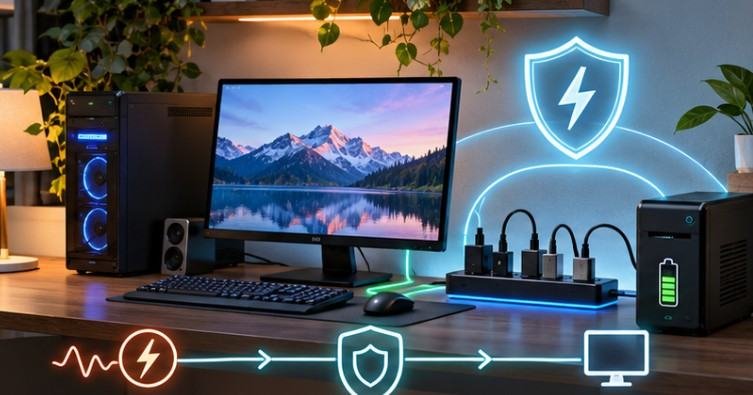
A surge protector is one of the simplest defenses against electrical spikes. Unlike an ordinary extension strip, a properly designed surge protector limits transient overvoltage reaching connected equipment.
Look for products with UL 1449 certification, adequate joule ratings, grounded plugs, essential gadgets for a home office setup and protection-status indicators.
Joule ratings describe how much surge energy a device is designed to absorb. However, higher ratings alone do not guarantee superior protection. Check the manufacturer’s specifications and replace the unit when its protection indicator shows failure.
2. Install an Uninterruptible Power Supply
An uninterruptible power supply (UPS) provides temporary battery power when utility electricity becomes unavailable. This gives desktop users time to save documents, close applications, and shut down safely.
Certain UPS models also include automatic voltage regulation, which compensates for moderate voltage fluctuations without relying on battery power.
For a gaming computer consuming 350 watts and a monitor using 40 watts, the combined load is approximately 390 watts.
A UPS supporting at least 500 watts offers some capacity margin, although battery runtime depends on the specific model. Always check both watt and volt-amp ratings before purchasing.
3. Avoid Overloaded Electrical Outlets
Connecting several high-powered devices to one outlet increases electrical and fire hazards.
For example, a desktop computer, monitor, printer, and space heater should not automatically share the same power strip.
The National Fire Protection Association emphasizes electrical safety practices that reduce household fire risks, including recognizing unsafe equipment and wiring conditions.
Avoid connecting multiple power strips together, a practice commonly called daisy-chaining. Plug surge protectors and UPS units directly into suitable grounded wall outlets, following manufacturer instructions.
4. Disconnect Electronics Before Thunderstorms
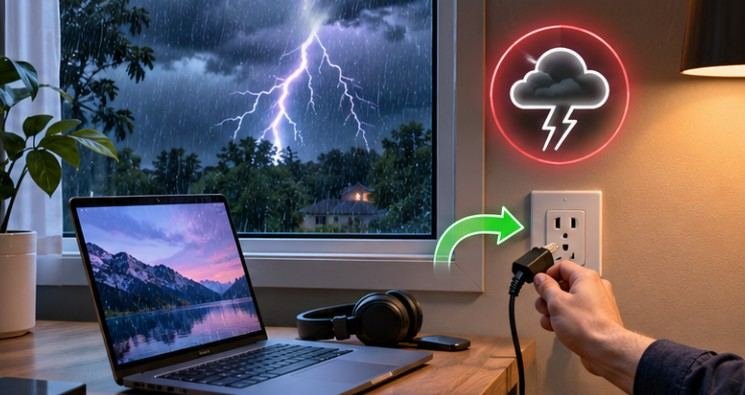
Lightning can produce damaging electrical surges that travel through household wiring and communication cables.
The National Weather Service explains that lightning can move through electrical and telephone systems after striking a building. Before severe weather arrives, save your work, shut down computers, and disconnect vulnerable equipment when safe.
Never unplug devices during an active thunderstorm because touching electrical connections can expose you to danger. This precaution is particularly important for US households in areas experiencing frequent thunderstorms.
5. Use Compatible Chargers and Power Adapters
Incorrect charging equipment can expose electronic gadgets to overheating, unstable operation, or electrical damage. Always check voltage compatibility, connector specifications, wattage requirements, and manufacturer recommendations.
A USB-C laptop requiring 65 watts might charge slowly with a 30-watt adapter, especially while running demanding applications.
However, a properly implemented USB-C Power Delivery charger with a higher wattage rating is generally safe because compatible devices negotiate their power requirements. Avoid damaged, poorly manufactured, or uncertified adapters. Be sure to wireless gadgets connect to laptops and computers.
6. Keep Electrical Connections Dry and Ventilated
Moisture and excessive heat create additional risks for computer accessories. Water entering electrical connectors can cause corrosion, short circuits, or component failure.
Keep power adapters away from drinks, leaking windows, and damp flooring. Maintain ventilation around UPS systems, charging stations, and power supplies.
If a charger develops an unusual smell, visible damage, or excessive heat, disconnect it when safe and stop using it until inspected.
7. Inspect Power Cables Regularly
Frayed cables, loose connectors, and damaged plugs can create unsafe electrical connections.
The US Consumer Product Safety Commission identifies inadequate wiring and other missing safety features in extension cords as potential fire and electric-shock hazards.
Inspect computer power cables periodically for exposed wiring, cracked insulation, bent connectors, and discoloration.
Never repair damaged mains cables using ordinary adhesive tape. Replace defective components with manufacturer-approved or properly rated alternatives.
8. Protect Routers, Modems, and Network Connections
Computer protection should extend beyond the desktop tower. Routers, modems, network switches, and external storage devices can also suffer electrical damage.
Connect critical networking equipment to appropriately rated surge protection or UPS systems.
Where power surges may enter through coaxial or other copper communication lines, use compatible protection designed for those connections.
Fiber-optic connections do not conduct electricity through the optical fiber itself, although connected equipment still requires power protection.
A UPS supporting your router and modem can also maintain internet connectivity during short outages, provided the internet provider’s network remains operational.
9. Consider Whole-Home Surge Protection
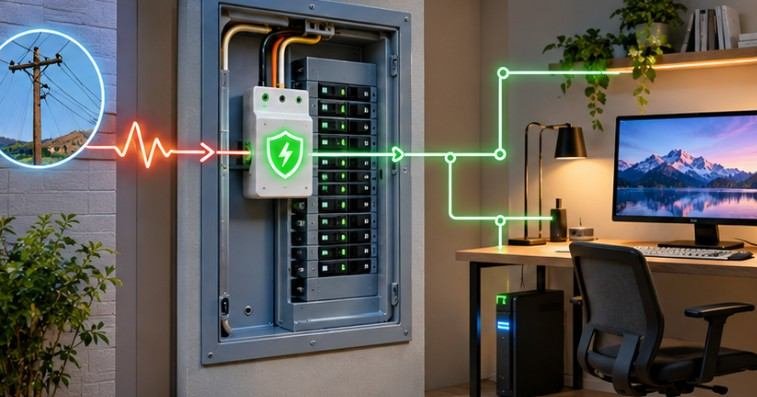
A whole-home surge protective device provides another protective layer by limiting incoming electrical transients at the service equipment.
Unlike individual outlet protectors, this system can help protect several household circuits. However, whole-home protection works best alongside point-of-use surge protection for sensitive electronics.
Installation should be handled by a qualified electrician following applicable US electrical codes. Homeowners should also verify that grounding and bonding systems are functioning correctly.
Surge Protector vs. UPS: Which Should You Choose?
Both devices offer valuable protection, but their functions differ.
| Feature | Surge Protector | UPS |
| Limits power surges | Yes | Usually, if equipped with surge protection |
| Battery backup | No | Yes |
| Protection during outages | No | Temporary power |
| Voltage regulation | Generally no | Available on certain models |
| Best for | Chargers, monitors, accessories | Desktop PCs, NAS systems, routers |
| Maintenance | Monitor protection status | Monitor battery health |
For basic computer accessories, a certified surge protector may provide sufficient everyday protection.
For desktop computers, important storage devices, and home office equipment, a UPS typically offers greater flexibility.
Neither device guarantees protection against every electrical event, particularly a direct lightning strike.
What Should You Do After a Power Outage?
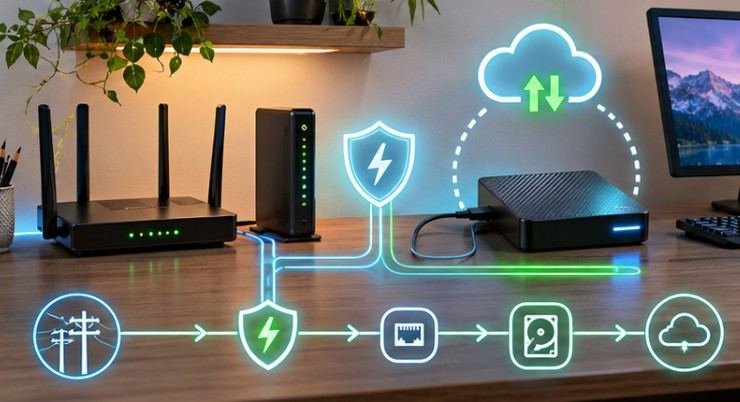
Electrical damage sometimes becomes apparent only after power returns. Before restarting equipment, look for warning signs such as unusual odors, damaged plugs, or tripped protection devices.
If everything appears normal, reconnect electronics carefully and check their operation. The US government’s Ready.gov power outage guidance recommends unplugging equipment to prevent damage from electrical surges.
If your computer repeatedly shuts down, refuses to start, or produces unusual noises, stop troubleshooting and seek professional assistance.
Maintain regular cloud or offline backups because surge protection cannot guarantee data recovery after hardware failure.
Frequently Asked Questions
1. Can power surges permanently damage a computer?
Yes. Severe electrical surges can damage power supplies, motherboards, storage devices, and connected accessories. Certified surge protection helps reduce this risk but cannot eliminate it completely.
2. Is a UPS necessary for a gaming PC?
A UPS is useful for gaming PCs because it provides temporary backup power during outages. Choose one with sufficient wattage, battery runtime, and appropriate electrical output.
3. Should I unplug my computer during lightning storms?
Disconnect vulnerable electronics before the thunderstorm arrives, when safe. Never handle electrical plugs or cords during active lightning because doing so can expose you to electrical hazards.
4. How often should surge protectors be replaced?
Replace surge protectors after significant damage, when protection indicators show failure, or according to manufacturer recommendations. Their service life depends on exposure to surges and product design.
Final Thoughts
Understanding how to protect computer gadgets from electrical damage is ultimately about preventing small electrical problems from becoming expensive failures.
A dependable surge protector, properly sized UPS, safe charging equipment, and regular cable inspections can significantly improve your setup’s resilience.
For homeowners experiencing frequent outages, whole-home surge protection and professional electrical inspections provide additional safeguards.
Remember that electrical protection is not a one-time purchase. Protective devices require inspection, batteries eventually need replacement, and backup copies remain essential.
The smartest investment isn’t necessarily another gadget. It’s making sure the devices you already own have a safer electrical environment.