
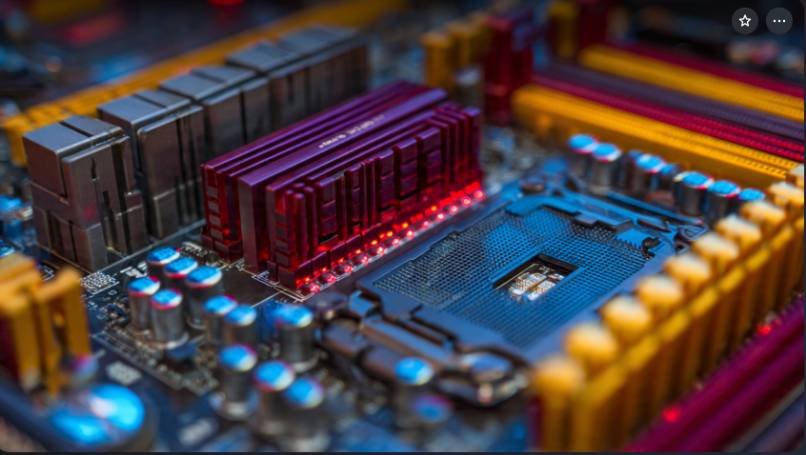
If you are building or upgrading a gaming PC, one question always comes up first: how much RAM do you need for gaming?
I asked myself the same thing when I built my last gaming rig. Some gamers say 8GB is enough. Others insist you need 32GB for modern games. The truth sits somewhere in between.
Here is the deal. RAM directly affects how smoothly your games run, especially when your system loads large maps, textures, and background apps like Discord or Chrome.
In this guide, I will break down how much RAM you actually need for gaming in 2026, based on modern game requirements, real-world performance, and practical PC building experience.
Key Takeaways
- 16GB RAM is the ideal standard for most gaming PCs
- 8GB RAM works for older or lightweight games
- 32GB RAM is best for streaming, modding, and future-proof builds
- RAM speed and dual-channel configuration also affect performance
What Is RAM and Why Does It Matter for Gaming?
RAM stands for Random Access Memory. It temporarily stores data that your CPU and GPU need to access quickly.
When you launch a game, your PC loads several things into memory:
- Game assets
- Textures
- Character models
- Physics calculations
- Background applications
If your PC does not have enough RAM, your system begins using the storage drive as backup memory. That process slows everything down.
This is why gamers often experience:
- Stuttering gameplay
- Long loading screens
- Sudden frame drops
The more RAM your system has available, the smoother your gaming experience becomes.
How Much RAM Do You Need for Gaming in 2026?
Let us answer the main question directly.
8GB RAM
An 8GB RAM setup works for entry-level gaming.
It can run many esports titles like:
- Fortnite
- Valorant
- CS2
- League of Legends
However, newer AAA games push RAM usage beyond 10GB. When that happens, your system starts swapping memory to disk, which hurts performance.
I only recommend 8GB RAM if you are building a budget gaming PC or playing lightweight games.
16GB RAM
For most gamers, 16GB RAM is the sweet spot.
It handles modern games comfortably while allowing background apps to run smoothly.
Games that run well with 16GB include:
- Call of Duty Warzone
- Cyberpunk 2077
- Hogwarts Legacy
- Elden Ring
During my own gameplay tests, 16GB allowed me to run a game, Discord, and a browser without noticeable slowdowns.
That is why most gaming experts and hardware companies recommend 16GB as the ideal RAM for gaming PCs.
32GB RAM
If you want maximum performance, 32GB RAM offers extra headroom.
This becomes useful when you:
- Stream gameplay
- Record videos
- Use heavy mods
- Run multiple applications
Some modern games also use massive texture packs that consume large amounts of memory.
For example:
- Microsoft Flight Simulator
- Starfield
- heavily modded Skyrim
If your budget allows it, 32GB is a great way to future-proof your gaming system.
Does RAM Speed Matter for Gaming?
RAM capacity is not the only factor. Its speed also affects gaming performance.
RAM speed is measured in MHz, such as:
- 3200MHz
- 3600MHz
- 5200MHz (DDR5)
Faster RAM improves how quickly your CPU accesses game data.
In many benchmarks, faster RAM improves gaming performance by 5–10% depending on the game and processor.
If you are building a modern gaming PC, aim for:
- DDR4 3200MHz or 3600MHz
- DDR5 5200MHz or higher
Another important tip is to use dual-channel RAM. Installing two sticks instead of one improves memory bandwidth and overall performance.
How Much RAM Do Modern Games Actually Use?
Modern AAA games consume more memory than older titles.
Here are typical RAM usage examples during gameplay:
| Game | RAM Usage |
| Fortnite | 6–8GB |
| Cyberpunk 2077 | 10–12GB |
| Hogwarts Legacy | 12–14GB |
| Microsoft Flight Simulator | 16GB+ |
This explains why many gamers experience performance issues when using only 8GB RAM.
With 16GB or more, your system maintains smooth gameplay even during intense scenes.
How Much RAM Do You Need for Gaming and Streaming?
If you stream on platforms like Twitch or YouTube, RAM requirements increase.
Streaming software such as OBS Studio consumes additional memory while encoding video.
Typical RAM usage during gaming and streaming looks like this:
- Game: 10–12GB
- Streaming software: 2–4GB
- Background apps: 2GB
Total memory usage can reach 16GB or more.
Because of this, most streamers prefer 32GB RAM to ensure smooth gameplay and recording.
How to Choose the Right RAM for Your Gaming PC
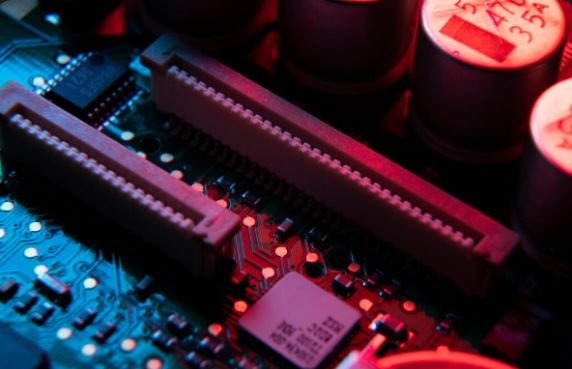
When I build a gaming PC, I focus on three things when choosing RAM.
1. Capacity
Choose the amount of RAM based on your usage.
- Budget gaming → 16GB
- Streaming or heavy multitasking → 32GB
2. Speed
Faster RAM helps modern CPUs perform better.
Good options include:
- DDR4 3600MHz
- DDR5 5600MHz+
3. Dual Channel Setup
Always install RAM in pairs.
For example:
- 2x8GB for 16GB
- 2x16GB for 32GB
This improves memory bandwidth and gaming performance.
Future-Proof RAM for Gaming PCs
Games continue to demand more memory each year.
Many upcoming titles already recommend 16GB as the minimum requirement.Because of that trend, many gamers now build systems with 32GB RAM to stay future-ready for the next 5 years. If you plan to keep your PC for a long time, investing in extra memory can save you from upgrading later.
Frequently Asked Questions
1. Is 16GB RAM enough for gaming?
Yes. 16GB RAM is currently the recommended amount for modern gaming and works well for most AAA titles.
2. Is 32GB RAM overkill for gaming?
For gaming alone, 32GB can be excessive. However, it helps with streaming, multitasking, and future-proofing.
3. Does more RAM increase FPS?
Extra RAM does not always increase FPS, but it prevents stuttering and improves stability in demanding games.
How Much RAM Do You Need for Gaming?
So, how much RAM do you need for gaming?
For most players, 16GB RAM provides the best balance of performance and price. It runs modern games smoothly and supports everyday multitasking.
If you stream, mod games, or want a future-proof system, 32GB RAM is the better choice.The most important thing is to match your RAM capacity with the type of games you play and the tasks you run alongside them. For this you need to know how to upgrade RAM for your PC.
Choose wisely, and your gaming PC will deliver smooth performance for years.