
Building my first portfolio website taught me an important lesson very quickly. A portfolio is not just a collection of work. It is a digital introduction, a credibility builder, and often the first impression someone gets before deciding whether to contact you.
Instead of treating a portfolio as a visual gallery, I started thinking of it as a strategic website that communicates value, skills, and results. The most effective portfolio websites focus on clarity, curated projects, strong navigation, and simple calls to action that guide visitors toward the next step.
If someone lands on your portfolio today, they should instantly understand what you do, what kind of work you create, and how they can reach you. A well-designed portfolio website does exactly that.
Start With Strategy Before You Touch the Design

Before designing anything, I always start by deciding what the portfolio website should accomplish. Some portfolios are meant to attract freelance clients, while others are designed to help land a job or showcase creative work. Defining that goal shapes the entire structure of the website.
Without that clarity, the design may look nice but fail to communicate anything meaningful. Planning the structure in advance also helps avoid clutter.
A focused portfolio usually revolves around a few essential pages that guide visitors through your work and your story, especially if your goal is to create modern logo designs that stand out to clients:
- Home
- About
- Work or Portfolio
- Case Studies
- Services
- Testimonials
- Contact
This structure works well because it answers the key questions visitors have. Who are you? What do you do? What work have you done? How can someone reach you?
Make Your Homepage Instantly Clear
The homepage should communicate your value immediately. Visitors should not need to scroll or search to understand what you do. A strong homepage usually begins with a clear headline that explains your expertise, followed by a short supporting line that expands on it. This section introduces your work and invites visitors to explore further.
The homepage can also include selected featured projects that demonstrate your strongest work. Instead of overwhelming visitors with dozens of projects, highlighting a few powerful examples creates a stronger impression. Elements that work well on a homepage include:
- A clear headline
- A short introduction
- Featured projects
- A few credibility signals
- A simple call-to-action button
Clarity and simplicity usually outperform overly complex designs.
Curate Your Best Work Instead of Uploading Everything

One of the biggest mistakes people make when building a portfolio is including too many projects. Showing every project ever completed often weakens the overall presentation. A better approach is to carefully select only the work that represents your strongest skills and the type of work you want more of.
A portfolio with five or six outstanding projects often performs better than one with twenty average ones. Each project should demonstrate something meaningful about your expertise. Organizing work by category can also make navigation easier. Visitors can quickly explore the work that is most relevant to them.
Tell the Story Behind Each Project
A strong portfolio does more than display visuals. It explains the thinking behind the work. When someone views a project, they want to understand the problem, the process, and the final outcome, especially in areas like design illustration for beginners where clarity and learning progress matter.
This context helps visitors appreciate the value of the work rather than seeing it as a simple design. Turning projects into short case studies can make a huge difference. A simple structure works well:
- Project name
- Objective
- Challenge
- Your role
- Tools or techniques used
- Outcome or results
Even without exact metrics, describing the transformation behind the project helps demonstrate skill and experience.
Design Your Portfolio Website for Trust and Conversions

Many portfolios look attractive but fail to encourage action. A portfolio should not only impress visitors but also guide them toward contacting you. Trust signals play an important role here. Testimonials, client feedback, or notable collaborations can instantly increase credibility.
Clear calls to action also help visitors take the next step. A visible contact button or simple inquiry form removes friction and encourages engagement. Helpful elements for building trust include:
- Testimonials
- Professional biography
- Contact information
- Simple inquiry form
- Client logos if available
These elements reassure visitors that you are experienced and reliable.
Keep the Design Clean and Easy to Scan
Modern portfolio websites perform best when the design stays simple and focused. The goal is to highlight the work rather than overwhelm visitors with visual effects. Clean layouts, consistent typography, and generous white space help projects stand out. A good portfolio design usually includes:
- Consistent fonts
- Limited color palette
- Strong visual hierarchy
- Simple navigation
- High-quality imagery
Minimal design choices often create the most professional results.
Design for Mobile First
Many visitors discover portfolio websites through mobile devices. A design that works perfectly on a desktop may feel frustrating on a phone if it is not optimized. Testing the site on smaller screens ensures the experience remains smooth. Important mobile checks include:
- Readable headlines
- Clickable buttons
- Fast loading images
- Easy navigation
- Accessible contact options
A mobile-friendly design helps ensure visitors stay on the site longer.
Add Simple SEO So People Can Discover Your Work
Search visibility can help your portfolio attract opportunities even when you are not actively promoting it. Basic SEO practices can improve the chances of your site appearing in search results. Useful optimization steps include:
- Clear page titles
- Descriptive meta descriptions
- Optimized image names
- Alt text for images
- Internal linking between pages
These improvements help search engines understand your website and improve discoverability.
Keep Updating Your Portfolio Regularly
A portfolio should evolve alongside your skills. Updating projects regularly keeps the website relevant and aligned with the type of work you want to attract. Periodic updates also help remove outdated projects and highlight stronger work. Even small improvements such as refining project descriptions, updating visuals, or adding a new case study can significantly improve the site.
How to Design a Portfolio Website Step by Step
Step 1:
Define your audience and goal. Decide whether the portfolio is meant to attract clients, employers, or collaborators.
Step 2:
Plan the website structure. Map out essential pages such as home, about, work, and contact.
Step 3:
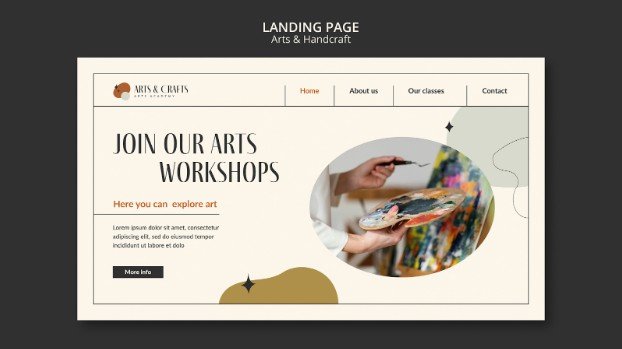
Choose a clean layout or template. Focus on simplicity and usability rather than flashy effects.
Step 4:
Select your strongest projects. Only include work that reflects your current capabilities.
Step 5:
Write project descriptions that explain your thinking and process.
Step 6:
Add credibility signals such as testimonials or professional experience.
Step 7:
Optimize for mobile and page speed to ensure a smooth browsing experience.
Step 8:
Publish the site and continue improving it as your work evolves.
Frequently Asked Questions
1. What should a portfolio website include?
A strong portfolio website typically includes a homepage, about page, selected projects, case studies, testimonials, and a contact page. These sections help visitors understand who you are, what you do, and how they can reach you.
2. How many projects should a portfolio contain?
Quality matters more than quantity. A smaller set of strong projects often creates a better impression than a large gallery of mixed quality work.
3. Should personal projects be included in a portfolio?
Yes. Personal projects can demonstrate creativity, initiative, and experimentation. They often show skills that professional work may not fully highlight.
4. Is a blog useful for a portfolio website?
A blog can help demonstrate expertise and improve search visibility. It can also attract visitors who are researching topics related to your field.
5. How often should a portfolio be updated?
Reviewing the portfolio every few months helps keep it aligned with your current work and skill level. Updating projects regularly ensures the website stays relevant.
Final Thoughts
Creating a portfolio website is not just about displaying work. It is about communicating value, building trust, and guiding visitors toward taking action. A well-structured portfolio combines clear messaging, curated projects, thoughtful storytelling, and simple navigation.
When those elements work together, the site becomes more than a gallery. It becomes a powerful tool for attracting opportunities. That is ultimately the goal of how to design a portfolio website that stands out and continues working for you long after it is published.