When I first started learning design, I quickly realized something important. Watching tutorials helped, but it did not improve my skills unless I practiced regularly. That is when I began doing graphic design exercises for beginners every day.
These simple exercises helped me understand typography, layout, color theory, and visual hierarchy much faster. Instead of feeling overwhelmed by complex software, I focused on small design challenges that improved my creativity step by step.
In this blog, I will share the most effective exercises that helped me improve my design skills. If you practice them consistently, you will build stronger design instincts and become more confident with design tools.
Key Takeaways
- Graphic design skills improve fastest through daily practice
- Beginner exercises help build creativity and visual thinking
- Simple design challenges strengthen typography and layout skills
- Practicing consistently leads to faster improvement
Why Graphic Design Exercises Are Important for Beginners
Graphic design is a skill that grows through practice. Learning design principles like balance, contrast, alignment, and hierarchy becomes easier when you apply them in real projects.
When I started practicing graphic design exercises for beginners, I noticed that my designs became cleaner and more structured. I also became faster at making design decisions.
Regular design exercises help beginners:
- understand color and typography
- develop creative thinking
- improve layout and composition
- gain confidence with design software
Even practicing for 20 to 30 minutes daily can lead to noticeable improvement within a few weeks.
7 Graphic Design Exercises for Beginners to Improve Creativity
Below are practical exercises that helped me build stronger design skills.
Recreate a Famous Logo
One of the best ways to understand professional design is to recreate existing logos.
Choose a popular brand logo and try to recreate it from scratch using design software. Focus on shapes, spacing, and typography.
When I started doing this exercise, I quickly learned how simple design elements create powerful brand identities.
Typography Poster Practice
Typography is one of the most important design skills.
Choose a short quote and design a poster using only text. Experiment with different font sizes, spacing, and alignment.
This exercise helps beginners understand text hierarchy and layout balance.
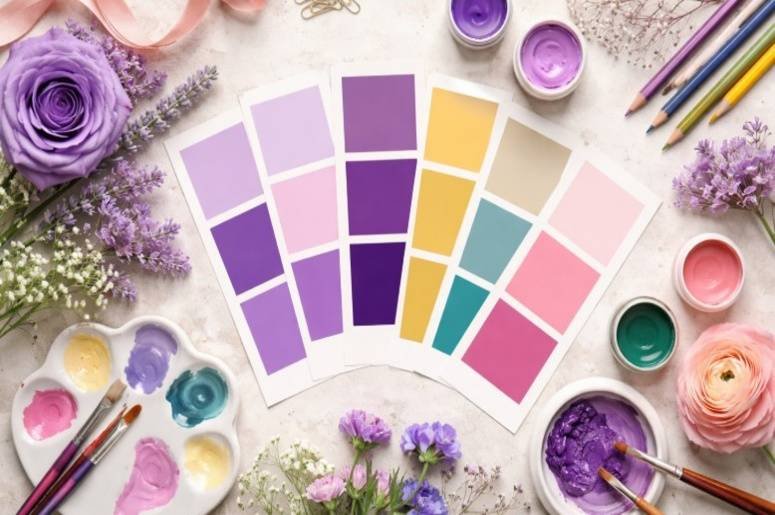
Color Palette Challenge
Color theory becomes much easier when you experiment with different palettes.
Pick a random color palette and design a small social media graphic using only those colors.
This exercise helps you learn how colors interact and how contrast improves readability.
Redesign a Website Layout
Another excellent design exercise is redesigning an existing website homepage.
Choose a simple website and redesign its layout with improved spacing, typography, and visual hierarchy.
This exercise helps beginners understand user interface design and layout structure.
Daily Sketching Practice
Many designers sketch ideas before starting digital work.
Spend 10 minutes sketching design ideas on paper. Sketch icons, layouts, or logo concepts.
This practice helps develop innovative thinking and trains your brain to generate design ideas quickly.
Icon Design Exercise
Icons are perfect beginner projects because they require simplicity and clarity.
Choose a theme such as travel, technology, or food and design a set of icons.
This exercise improves consistency and helps you learn shape simplification.
Convert an Image into Vector Artwork
This exercise is great for beginners learning vector tools.
Take a simple photograph and recreate it using vector shapes in Illustrator.
This helps you learn shape building, vector editing, and illustration techniques.
How I Practice Graphic Design Every Day
When I started learning graphic design at home, I followed a simple daily routine that helped me improve consistently.
First, I spend a few minutes studying design inspiration from websites like Behance or Dribbble. Observing professional work helps me understand layout and color usage.
Next, I complete one design exercise. Sometimes it is a typography poster, while other times I recreate a logo or redesign a layout.
Finally, I review my work and identify areas that could be improved. This small daily habit helped me improve my design skills faster than occasional long practice sessions.
Common Mistakes Beginners Make While Practicing Design
Many beginners practice design but do not see progress because they repeat certain mistakes.
One common mistake is copying designs without understanding the design principles behind them. It is important to analyze why a design works.
Another mistake is ignoring feedback. Sharing your work with other designers can help you identify weaknesses and overcome faster. Beginners also often ignore spacing and alignment. These small details have a huge impact on design quality.
Tips to Improve Your Graphic Design Skills Faster
Improving design skills does not require expensive tools or courses. What matters most is consistent practice.
Try to practice design regularly instead of occasionally. Short daily sessions build stronger design instincts. Study professional designs and analyze how designers use typography, color, and layout.
Experiment with different styles. Trying new design approaches helps develop creative flexibility. Finally, keep all your exercises in a portfolio. Looking back at your previous work will show how much you have improved.
Frequently Asked Questions
1. What are the best graphic design exercises for beginners?
Some of the best exercises include recreating logos, designing typography posters, practicing color palettes, creating icons, and redesigning website layouts. These exercises strengthen core design skills.
2. How often should beginners practice graphic design?
Beginners should practice at least 20 to 30 minutes daily. Consistent practice helps develop creativity and improve design skills faster.
3. Can graphic design exercises improve creativity?
Yes. Design exercises challenge your creativity and help you experiment with layouts, colors, and typography. Over time, this improves your visual thinking.
Building Strong Design Skills Through Consistent Practice
Learning graphic design can feel overwhelming at first, but practice makes the process easier.
The key is to start with small challenges and gradually increase the difficulty. By doing graphic design exercises for beginners regularly, you train your eye to recognize good design.
Over time, these exercises improve creativity, design thinking, and technical skills. With patience and consistency, anyone can become a skilled designer.