
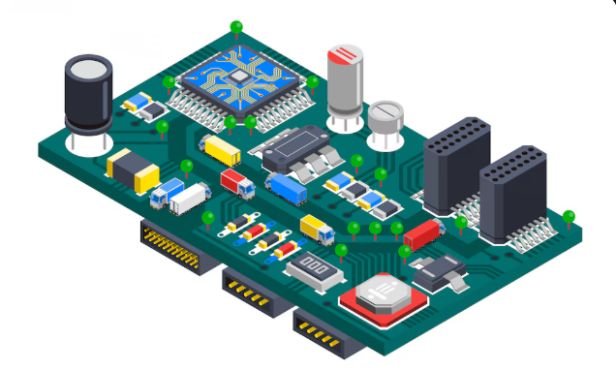
When I built my first custom PC, one thing confused me more than anything else: motherboard types and sizes. I quickly realized that choosing the wrong motherboard form factor could cause compatibility problems with the case, cooling system, and expansion cards.
The motherboard acts as the central hub of your computer. It connects the CPU, memory, storage, and expansion devices. Because every PC case has limited space, motherboard manufacturers design boards in different standardized sizes called form factors.
Understanding motherboard types and sizes helps you choose the right board for your build, whether you want a compact system, a gaming PC, or a high-performance workstation.
Key Takeaways
Motherboards come in several standardized sizes called computer form factors
ATX is the most common motherboard size for desktop PCs
Micro-ATX offers a balance between size and expandability
Mini-ITX focuses on compact builds and small form factor systems
Choosing the correct motherboard size ensures case compatibility
What Are Motherboard Types and Sizes?
Before comparing options, it helps to understand what the term motherboard types and sizes actually means.A motherboard’s size is determined by its form factor, which defines the board’s physical dimensions, mounting points, and layout.
Form factors also determine:
- number of expansion slots
- number of RAM slots
- placement of components
- compatibility with computer cases
Standardization allows hardware manufacturers to design components that work together easily.
The Most Common Motherboard Form Factors
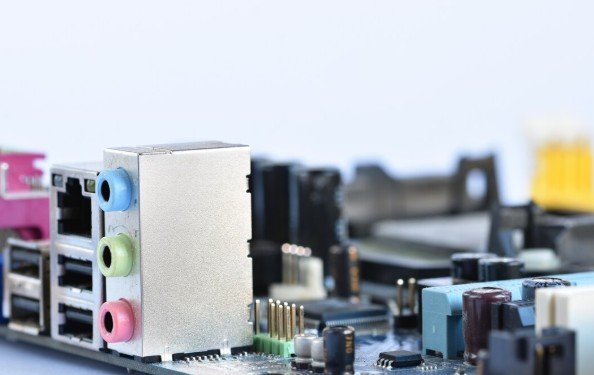
Several motherboard form factors exist, but three dominate modern desktop computers.
ATX Motherboard
The ATX motherboard is the most common option in modern PC builds.Typical ATX boards measure 305 mm × 244 mm. Because of their larger size, they provide more expansion options and connectivity.
Advantages of ATX motherboards include:
- multiple PCIe slots
- more RAM slots
- better power delivery
- improved cooling layouts
I usually choose ATX boards when building gaming systems or high-performance PCs.
Micro-ATX Motherboard
It provide a slightly smaller alternative while maintaining many of the same features. Micro-ATX boards typically measure 244 mm × 244 mm.Although smaller, they still support many modern components.
Benefits of micro-ATX boards include:
- lower cost
- compatibility with smaller cases
- decent expansion options
- good balance between size and functionality
Many budget gaming PCs use this motherboard form factor.
Mini-ITX Motherboard
Mini-ITX boards focus on compact computer builds. These boards measure 170 mm × 170 mm, making them much smaller than ATX boards.
Because of their compact design, they usually include:
- one PCIe slot
- two RAM slots
- limited expansion options
However, mini-ITX boards are perfect for small form factor builds and compact gaming systems.
ATX vs Micro-ATX vs Mini-ITX Comparison
Understanding the difference between these form factors helps you choose the best motherboard for your needs.
ATX boards provide the most expansion options and are ideal for high-performance desktops. Micro-ATX boards offer similar functionality in a smaller and more affordable design. Mini-ITX boards focus on portability and compact systems but sacrifice expansion capability.
Each motherboard size fits different build goals.
Why Motherboard Size Matters
When I help someone build a PC, motherboard size becomes one of the first decisions we make.The form factor affects several important factors:
- PC case compatibility
- Computer cooling options
- GPU support
- storage expansion
- future upgrade potential
Choosing the wrong size may limit upgrade options or prevent components from fitting inside the case.
Other Less Common Motherboard Types
Although ATX, micro-ATX, and mini-ITX dominate the market, other motherboard sizes exist.
Extended ATX (E-ATX)
Extended ATX boards are larger than standard ATX motherboards.These boards appear in high-end workstations and enthusiast gaming systems because they provide additional expansion slots and stronger power delivery systems.
Nano-ITX and Pico-ITX
These smaller form factors target embedded systems and specialized devices.
They rarely appear in standard desktop computers but play important roles in industrial and compact computing environments.
How to Choose the Right Motherboard Size
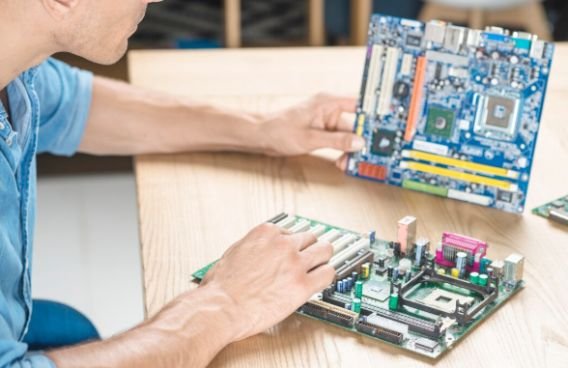
Choosing between different motherboard types and sizes depends on several factors.First, I always consider the PC case size. The case must support the motherboard form factor.
Next, I evaluate the number of expansion devices needed. If the system requires multiple GPUs, storage controllers, or capture cards, a larger motherboard becomes necessary.Finally, budget and future upgrades influence the decision.
For many builds, micro-ATX offers the best balance between cost and functionality.
Motherboard Sizes and PC Build Compatibility
Compatibility between the motherboard and other components is essential.
Before selecting a motherboard, I verify several factors:
- CPU socket compatibility
- Different types of RAM and capacity
- number of storage connectors
- graphics card space
- cooling system clearance
Even though motherboard sizes follow standards, checking compatibility prevents future problems.
Frequently Asked Questions
1. What are the main motherboard types and sizes?
The most common motherboard form factors are ATX, micro-ATX, and mini-ITX.
2. Which motherboard size is best for gaming?
ATX and micro-ATX motherboards usually provide the best features for gaming systems.
3. Can a micro-ATX motherboard fit in an ATX case?
Yes. Most ATX cases support smaller motherboard sizes such as micro-ATX and mini-ITX.
4. What is the smallest motherboard size for desktop PCs?
Mini-ITX is the smallest commonly used motherboard form factor for desktop systems.
5. Does motherboard size affect performance?
Motherboard size does not directly affect performance, but larger boards often support better cooling and more expansion options.
Choosing the Best Motherboard Form Factor for Your Build
Understanding motherboard types and sizes makes the entire PC building process easier. Each form factor serves a different purpose depending on performance needs, expansion requirements, and system size.
For high-performance gaming or workstation builds, I usually prefer ATX boards because they offer maximum flexibility.
For budget-friendly systems, micro-ATX provides excellent functionality while saving space.
And when building compact PCs, mini-ITX delivers impressive performance in a small footprint.
Once you understand motherboard form factors, selecting the right board becomes much simpler and your PC build becomes far more efficient.